Collector intelligence for gallery sales
See where collector interest is building.Turn it into sales.
Taste is an AI assistant for gallery sales teams, available in the Taste app and through WhatsApp or voice. It connects collector history, current conversations, and private-packet interest so your team knows who to contact, which works belong in the next packet, and when to act.
Built around your gallery’s workflow.
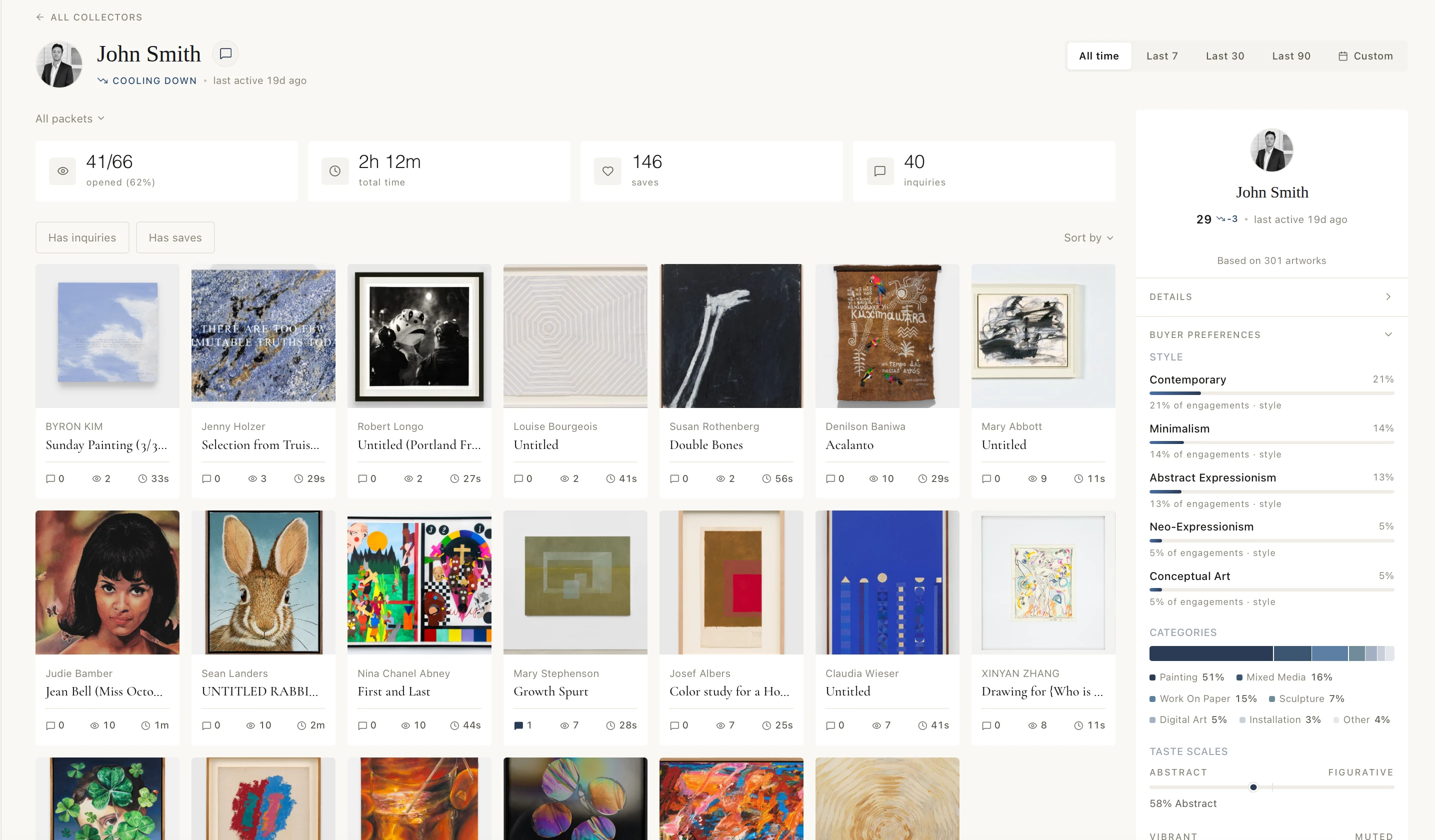
What has John been engaging with, and what should we show him next?
Taste brings back
- 01Full collector context
- 02Relevant works for the next packet
- 03A suggested follow-up for your review
Amplify your team’s expertise.More time with collectors.
A live sales question
“Who should we contact now—and which works will move the conversation forward?”
Your team
With Taste
Collector knowledge built through relationships.
Current interest connected to the full collector history.
A deep understanding of artists, inventory, and fit.
Relevant works ready for the next private packet.
The judgment to know how and when to follow up.
Clear signals on who to contact, what to show, and when to act.
What Taste brings to the work.Collector intelligence you can act on.
- 01
Collector context
Relationship history, current conversations, preferences, and private-packet activity together.
- 02
AI-matched artworks
Use each collector’s Taste Profile—shaped by their history, preferences, and engagement—to surface relevant works.
- 03
Private packets
Send gallery-branded selections collectors can view, save, and inquire on.
- 04
Engagement signals
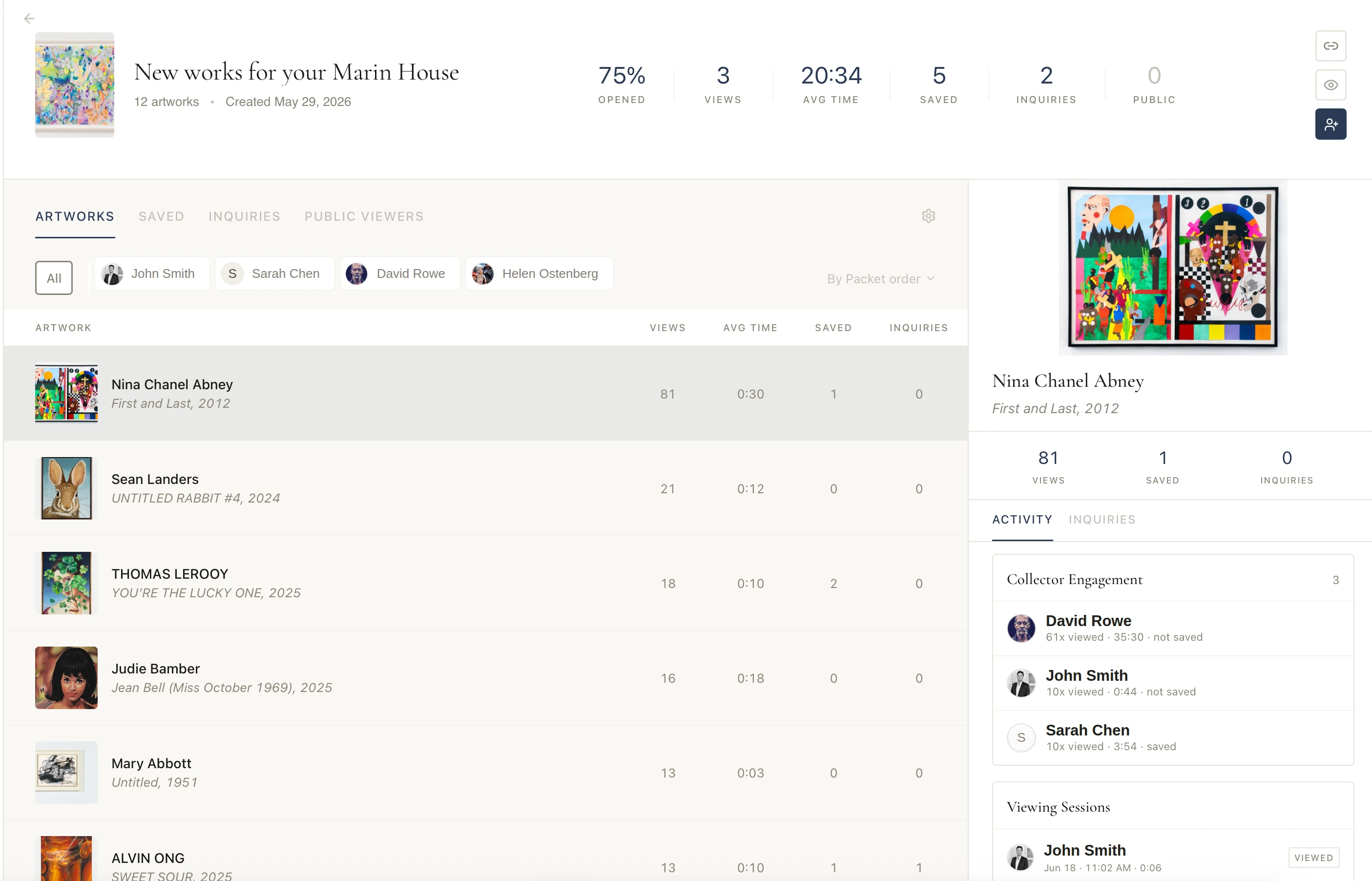
See who viewed, saved, or inquired on each work.
- 05
Ask Taste your way
Use the Taste app or WhatsApp, by voice or text.
- 06
Reviewable next moves
Bring forward who to contact, what to show, and when to follow up.
Work with Taste like a colleague.Make the next sales move.
Brief Taste
Use the Taste app or WhatsApp. Speak or type in your own words.
Context, connected
Get the collector context, relevant works, and a suggested next step in one place.
You decide
Choose what to send and when to follow up.
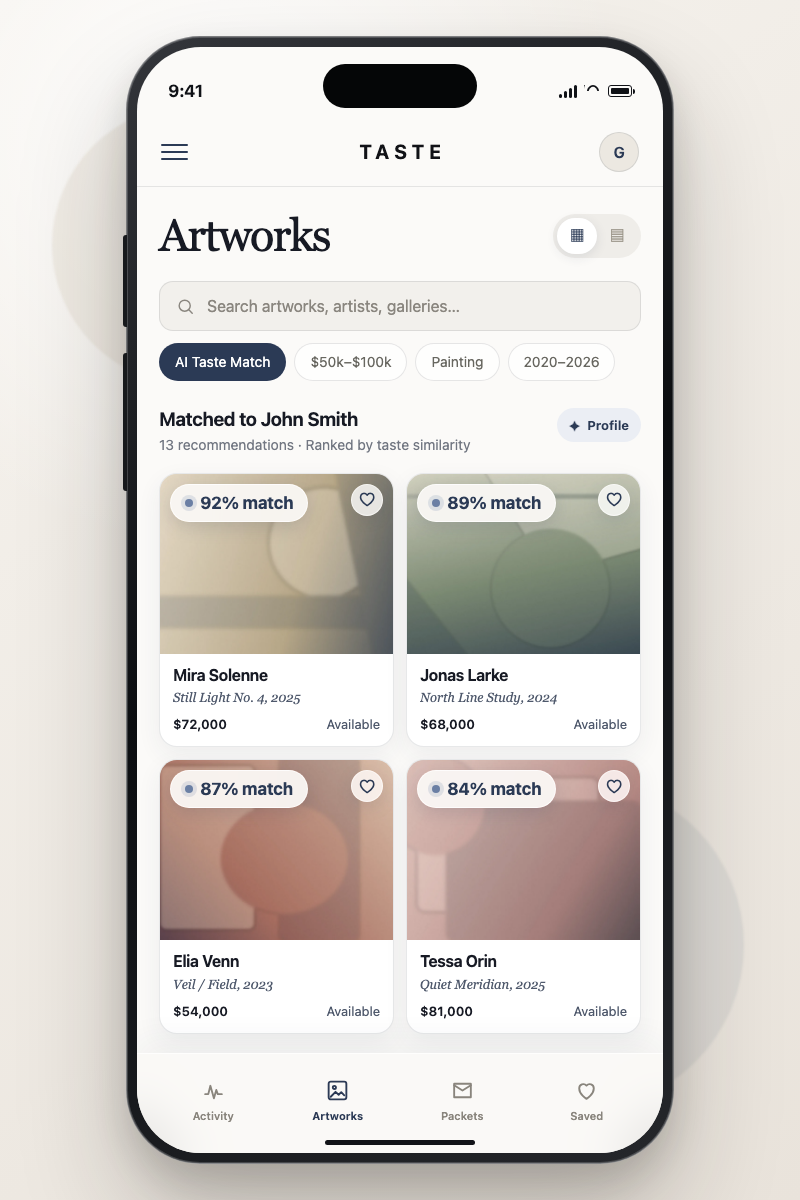
Example workflow
See the sales opportunity clearly.Move while collector interest is active.
- Signal
- John has returned to several cool-toned abstract works across private packets.
- Ask Taste
- “What has John been engaging with, and what should we show him next?”
- Gallery review
- Review the context and packet, then decide what to send and when to follow up.
A pilot starts with one live workflow.See how easily Taste fits your team.
- 01
Choose a live workflow
Start with collector follow-up, private packets, or another active sales workflow.
- 02
Sync your contacts and inventory
Bring essential collector and artwork information across from the systems you already use.
- 03
Invite your sales team
Give the team access through the Taste app and WhatsApp, using voice or text.
- 04
Put Taste to work
Prepare a live packet, review collector engagement, and decide the next follow-up.
Before a pilot.What you should know.
How does Taste fit into our workflow?
Taste works around the way your team already sells. Ask about a collector or live sales moment in the Taste app or through WhatsApp, by voice or text. Taste brings together the context, relevant works, and a suggested next step for your team to review.
Does Taste replace our existing gallery software?
No. Whether your gallery runs Artlogic, Arternal, ArtBinder, or spreadsheets, that system remains your system of record. Taste sits above it, turning the context your team already holds into suggested works, follow-ups, and next steps. There is no migration and nothing to switch off.
What do my collectors see?
Only what your team chooses to send. Taste can prepare a private packet and suggested follow-up, but it does not contact collectors automatically. Collectors receive a gallery-branded private viewing room with the works and note you chose, and can browse, react, save, and reply without logging in.
What does Taste cost?
Taste is priced as headcount, not software: comparable to a full-time assistant for the gallery. Exact terms depend on your team and workflows, and are agreed during the pilot conversation.
How is gallery and collector information protected?
Taste encrypts data in transit and at rest and limits administrative access through role-based, least-privilege controls. Identifiable gallery and collector information is not used to train general-purpose AI models. Security and compliance documentation is available during onboarding.